


Color Aura: Paint by number
4.6753.00 Reviews
App Specs
- Version
- 2.14.5
- Updated On
- License
- Free
- Downloads
- 1,000,000+
- Developer
- Oakever Games
- Categories
- Casual
- Platform
- Android
Screenshots
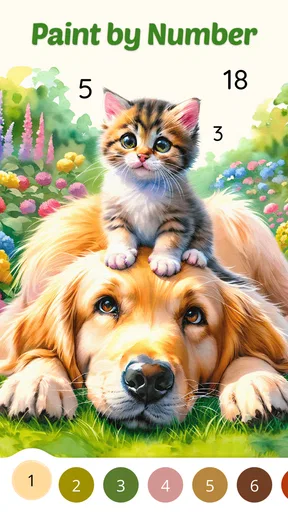
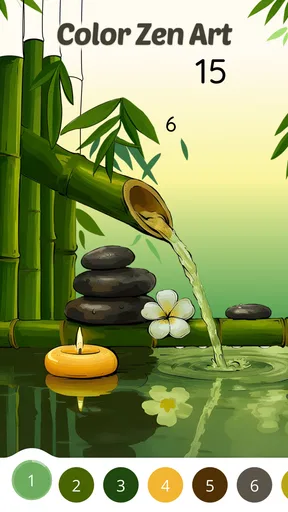
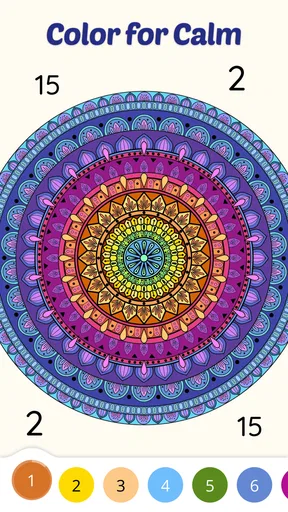
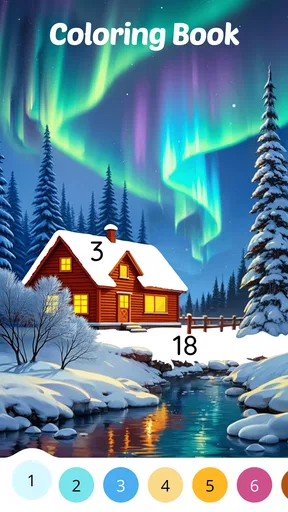
 Analysis by AppCompare
When I want a quiet activity that doesn’t ask me to plan, learn a technique, or make a mess, I’m drawn to coloring games. Color Aura: Paint by Number turns that simple idea into a phone-friendly routine: choose an illustration, follow its numbered areas, and watch the picture take shape. Its appeal is less about drawing skill than about having one small, clear task to focus on. I’d recommend it to someone who enjoys gentle progress and visual puzzles, though it won’t satisfy everyone looking for a more open-ended creative tool.
Why numbered coloring works here
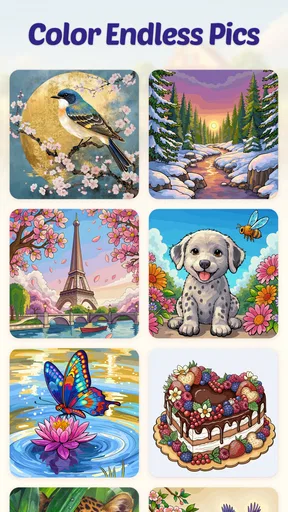
The central idea is familiar, but the scale gives it room to stay interesting. Oakever Games describes a library of more than ten thousand artworks, and that breadth matters because paint-by-number can feel repetitive if you keep seeing the same kind of scene. A large collection gives me more reason to browse until I find an image that suits my mood, whether I want something detailed to settle into or a simpler-looking picture for a brief break.
That choice is also the game’s main creative trade-off. I’m making decisions about what to open and when to stop, but the numbered palette sets the color plan. This makes starting easy and keeps the activity low-pressure; it also means the result is guided rather than a design I’ve invented myself. If you want to experiment with your own colors, layers, brushes, or composition, a drawing app is the better fit. If you’d rather skip the blank-canvas problem and get straight to filling a picture, this format has a clear advantage.
How I’d fit it into an ordinary day
I’d use it in the small gaps that are too short for a film or a longer game: while waiting for an appointment, winding down after work, or sitting with a cup of tea before bed. The numbered sections provide a natural next step, so I don’t need to remember a complicated plot or decide what to build. I can open an image, color for a while, and leave when I’m ready. That makes the game approachable for people who want a calm pastime rather than a demanding challenge.
A useful way to make a session feel manageable is to choose the picture according to the time you have. If I only have a few minutes, I’d pick an image that looks less intricate rather than starting a highly detailed one and feeling obliged to finish it. For a longer break, a more involved picture can give that same tapping routine enough variety to hold my attention. This is a small choice, but it helps avoid turning relaxation into another task on a to-do list.
The same principle helps when I’m tired. A paint-by-number game reduces the number of decisions I have to make: I follow the available color and locate its matching spaces instead of deciding what every part should look like. That can be welcome after a busy day. On the other hand, if I’m already impatient with repetitive tasks, the same sequence may feel like busywork. The right mood matters more here than any claim that coloring is relaxing for everyone.
What to expect from the controls and collection
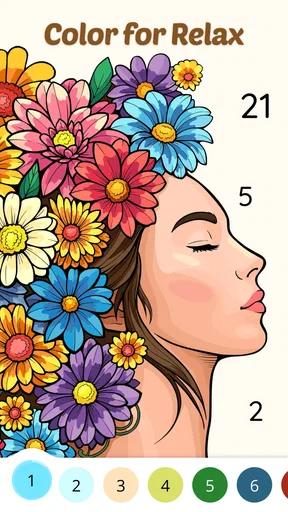
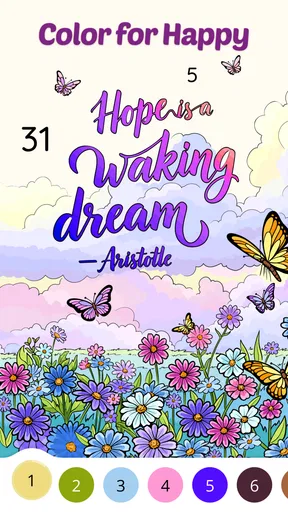
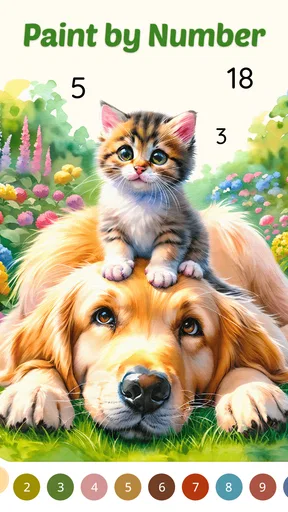
Once an image is open, each numbered region points to a color, and tapping fills the corresponding area. I find that straightforward loop easier to approach than a traditional coloring app with a full palette and freehand controls. There’s no need to keep a steady hand or choose every shade from scratch. The payoff is the visible change as blank sections become part of the finished illustration, which gives the activity a light puzzle-like quality.
Worth Reading Before You Choose

EA SPORTS FC Mobile 26 Is a Bigger Football Game, but It Takes Time

Flipboard Shows What News Apps Must Do Beyond the Feed

Switching to Android Auto Means Rethinking Your Driving Routine

Google Calendar Makes a Crowded Week Easier to Manage

Ludo King Makes the Most of the Minutes Between Plans

Baby Panda World Brings Quick Play to Modern Phones, but Its Game Library Feels Busy
That ease does not mean the game offers the same kind of freedom as coloring on paper. With physical pencils, I can shade, blend, leave an area unfinished, or deliberately depart from a suggested palette. Here, the numbers guide the result. I’d choose this app when I want structure and a predictable process, but I’d reach for paper or a drawing app when I want tactile materials or full control over the image.
The collection is a practical part of the experience, not just a headline feature. When browsing a large library, I’d take a moment to select a picture that actually appeals to me rather than opening the first one I see. A familiar subject can make the time feel more personal, while a complex design may be satisfying when I’m ready to concentrate. The best image is not necessarily the most detailed one; it’s the one that matches the kind of break I need.
Getting Started with Color Aura
Okay, so first things first, downloading Color Aura: Paint by Number is a breeze. Once you’ve got it installed, the app greets you with a delightful array of coloring pages ranging from intricate mandalas to adorable animals. The interface is super user-friendly, so you won’t feel like you need a tech degree to figure it out. Just tap on a picture, and you’re ready to go.
The Coloring Experience
Here’s where the magic happens. Each image is divided into numbered sections, and each number corresponds to a color. It’s as simple as tapping on the number and watching the image come to life. I was amazed at how satisfying it was to see the colors fill in, almost like a digital jigsaw puzzle.
The app offers a wide range of palettes, so whether you’re in the mood for something bright and cheerful or calm and muted, there’s something to suit your vibe. Plus, the developers have nailed the color selection. Each piece ends up looking like a mini-masterpiece!
Why You’ll Love It
I gotta say, the best part of Color Aura is how it makes stress just melt away. There’s something incredibly zen about focusing on coloring, letting your mind wander, and forgetting about the hustle and bustle of everyday life. It’s almost like meditating, but way more fun.
Another cool feature is the app’s offline mode. You can take your coloring wherever you go, whether you’re on a plane, in a cozy café, or lounging at home. No internet? No problem!
For a realistic outing, I’d start a picture before leaving home, then use the game during a quiet wait rather than expecting it to replace a longer activity. The original article describes offline play, which is particularly handy when a connection is unreliable. I’d still keep expectations modest: the appeal is a portable coloring break, not a deep game session with a story or a competitive goal.
The Community and Updates
One thing I really appreciate is how the app keeps things fresh. There are regular updates with new images, so you’ll always have something new to look forward to. Plus, there’s a lovely community aspect. You can share your completed works on social media or within the app’s community, and it’s fantastic to see everyone’s unique take on the same images.
You even get daily challenges which add a fun twist to your coloring routine. It’s a neat way to push your creativity and maybe even discover a new favorite style.
Those social and challenge elements may suit someone who likes a gentle prompt or enjoys seeing what other players make. I’d treat them as optional extras rather than the reason to install the game. If I want private downtime, I can simply focus on an illustration; if I want a nudge to return, a daily challenge can give the session a little direction. People who dislike sharing their work can still enjoy the basic coloring loop without making it a social activity.
Who gets the most from it—and who may not
This is a casual game from Oakever Games, and its 4.0 average from around 1,200 ratings suggests a solid audience without making it a guaranteed hit for every player. It has passed 500,000 installs, is free to start, and is rated for Everyone. The current version is 2.3.1, and it runs on Android 7.0 or later. Those details make it easy to judge whether it’s a practical fit for your device and the kind of app you’re comfortable letting younger players try.
I think it’s best for people who like calm, guided activities: casual players, adults who want a simple screen break, and younger users who enjoy filling in pictures without needing drawing lessons. It may also work well for someone who finds a blank page intimidating. The numbered format removes that first hurdle and gives a clear next action, while the large artwork selection offers room to browse for a subject that feels appealing.
I’d skip it if you’re looking for fast action, a demanding puzzle, or a tool for making original art. The repetitive tapping is central to the experience, so it may wear thin if you need frequent changes in mechanics. Compared with freeform coloring apps, it offers less control but a simpler start; compared with paper coloring books, it’s more portable and less tactile. That distinction is the most useful way to choose between them.
Small trade-offs worth knowing
Although the game is free, it includes in-app purchases priced at $12.99 per item. I’d check the purchase prompt carefully before confirming anything, particularly if a child will be using the device or if you want to keep spending limited. The free starting point is useful, but it’s sensible to think about purchases as a separate choice rather than assuming every part of the experience has the same cost.
Another trade-off is that a very large collection can make choosing feel like its own activity. If I’m opening the game for a quick pause, too much browsing could consume the time I meant to spend coloring. My practical tip is to settle on a subject or mood first, then pick an image and begin. It keeps the focus on the satisfying part—the steady progress through the numbered areas—instead of turning a short break into a long search.
There’s also a difference between enjoying a completed picture and making something that feels personally authored. The app gives me a finished-looking result, but the palette and numbered layout do much of the artistic planning. That’s a fair exchange for convenience, not a flaw to fix. I’d use it for the process and the quiet focus, and choose another medium when I want the final image to reflect my own color decisions.
As a whole, I see Color Aura: Paint by Number as a straightforward way to turn a few spare minutes into a focused, low-pressure activity. Its strongest appeal is the combination of a broad picture library and a guided coloring loop that doesn’t ask for artistic confidence. It won’t replace a sketchbook or satisfy someone who needs constant action, but if you enjoy filling in a picture one small area at a time, it’s an easy game to try and a pleasant option to keep around for quiet moments.
Pros
- Vibrant color palettes for creativity.
- Relaxing
- stress-free painting experience.
- Intuitive user interface for easy navigation.
- Regular updates with new images.
- Offline mode available for convenience.
Cons
- Limited free content without subscription.
- Ads can interrupt the painting flow.
- High battery usage during extended play.
- Occasional lag in image loading.
- Subscription model can be costly.
FAQs for Color Aura: Paint by number
What is Color Aura: Paint by Number?
Color Aura: Paint by Number is a mobile app that allows users to engage in a relaxing coloring experience by filling in numbered sections with corresponding colors. It's designed to help users unwind and relieve stress while creating beautiful artwork. The app offers a variety of images across different categories.
Is Color Aura: Paint by Number free to use?
The app is free to download and offers a selection of free artwork to color. However, it also includes in-app purchases and subscription options that unlock additional features, such as premium images and ad-free experiences. Users can choose to enjoy the app without spending, but premium content enhances the experience.
What devices support Color Aura: Paint by Number?
Color Aura: Paint by Number is available on both Android and iOS platforms. It requires a compatible device running a relatively recent operating system version. Users should check the app’s store page for specific OS requirements to ensure smooth performance and compatibility.
How does the app ensure user privacy and data security?
The app adheres to standard privacy practices, ensuring that user data is protected. It collects minimal personal information, primarily for user account management and app functionality. Users can review the privacy policy within the app to understand how their data is managed and what measures are in place to protect it.
Can I save and share my completed artwork?
Yes, Color Aura: Paint by Number allows users to save their completed artwork to their device's gallery. Additionally, the app provides options to share creations directly on social media platforms or with friends via messaging apps, making it easy to showcase your artistic achievements.


